
Some letters have to reach every customer: a change to your terms and conditions, a new price or billing arrangement, a different payment date, or news that the business has been acquired or renamed. Posting them to your whole customer base is slow and expensive, and tells you nothing about who read them. This guide sets out a digital-first process, based on the approach we use with financial services clients, that reaches every customer, proves it, and posts letters only where it has to.
In short: create one letter per customer, invite each customer by SMS and email to read it on a secure, branded portal after a simple identity check, and automatically print and post the same letter to anyone who isn’t reached or doesn’t read it. Make the message easy to recognise as genuine, release it in batches, and use the results to clean your contact data for next time.
The customer receives a branded SMS and/or email saying an important letter about their account is ready, with a personal link.
They confirm details you already hold, such as their account number and postcode. No app, account or password needed.
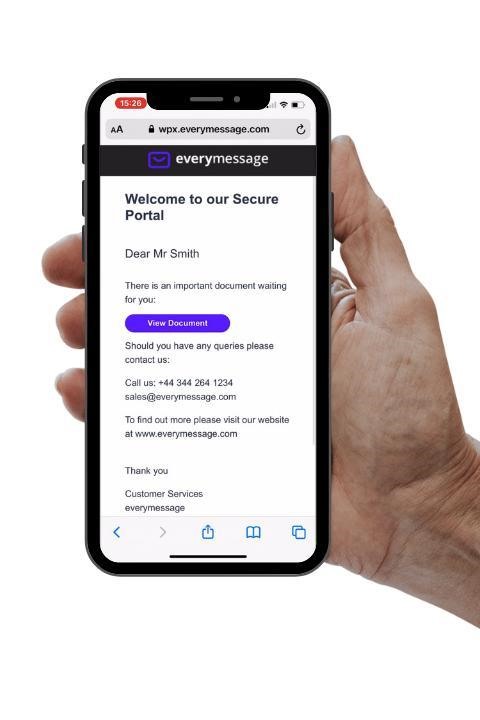
They read and download the letter on a secure portal with your branding, at your own web address.
Every step is recorded. Letters not viewed trigger a reminder, then are printed and posted automatically.
Notifications that must reach everyone
The same process works for any letter you need to send to a large part of your customer base:
| Notification | Typical content |
|---|---|
| Terms and conditions change | What’s changing, when it takes effect, and the customer’s options if they don’t agree |
| Price or billing change | New prices, charges or billing frequency, and the date they apply from |
| Payment change | A new payment date, Direct Debit details or collection arrangements |
| Acquisition, merger or rebrand | Who the customer now deals with, and reassurance that their account carries on |
| Annual and regulatory notices | Statements, summaries and notices you’re required to send each year |
| Service changes | Branch or office closures, new contact details, changes to how accounts are managed |
Why these letters need care
- You need proof. Many changes must be notified a set time in advance, and you may later need to show that each customer was told. Post gives you no evidence unless it’s tracked or signed for.
- Customers need clarity. Most will want to know one thing: does this affect me, and do I need to do anything? The letter should answer that clearly.
- Links can look like scams. An unexpected message asking customers to tap a link and confirm who they are can look like phishing, so how you send it matters.
- Post is slow and costly at volume. Printing and posting to everyone takes days and costs the most per letter, with no idea who opened it.
- It’s a chance to go digital. A letter every customer receives is the ideal moment to confirm mobile numbers and email addresses for the communications that follow.
The process, step by step
- Prepare the letters. Your systems create a personalised, print-ready PDF for each customer and hand it over through secure shared storage or an API, with a record listing each customer’s contact details and the details used to verify them.
- Choose the channels for each customer. The platform checks what you hold. Customers with a mobile number or email address get a digital invite; anyone with neither goes straight to print.
- Send the invites together. Where you hold both, the SMS and the branded email go out at the same time, each with a personal link. Sending both at once gives the best chance of the letter being read quickly.
- The customer verifies and reads. The link opens a branded portal on your own web address. The customer confirms details they already know, such as their account number and postcode, then views or downloads the letter. No app, account or password is needed.
- Remind, then post. If the letter hasn’t been viewed after an agreed number of days, an optional reminder goes out. If it’s still not viewed, or neither invite could be delivered, the same PDF is printed and posted automatically.
- Report every step. Each delivery, click, identity check, view, download and posting is recorded and sent back to your systems in real time, or as reports, giving you evidence for every customer.
The decision flow
Digital letter, email attachment or post?
| Posted letter | Email attachment | Digital letter | |
|---|---|---|---|
| Cost | Print, envelope and postage for every letter | Low | Low; print and postage only for letters that revert to post |
| Speed | Days | Seconds | Seconds |
| Security | Can be lost or opened by someone else | Can be forwarded or intercepted | Released only after an identity check |
| Proof | None, unless tracked or signed for | Limited | Delivered, opened, verified and downloaded, all recorded |
| If it isn’t read | You don’t know | You don’t know | Automatic reminder, then a printed letter |
Making sure it’s recognised as genuine
This decides whether customers engage. Plan it with your brand and compliance teams:
- Use the name customers know. If the business has been acquired or renamed, co-brand during the transition, for example “Old Brand, now part of New Brand”, in the SMS, the email and on the portal.
- Use a recognisable sender. A clear SMS sender name and email display name. Generic names such as “Verify” or “Alert” are blocked by UK networks anyway: see UK SMS sender ID rules. Consider registering your sender name with the UK SMS SenderID Protection Registry so it can’t be spoofed.
- Authenticate your email. Send from a dedicated subdomain of your own domain, set up with SPF, DKIM and DMARC: see SPF, DKIM and DMARC explained.
- Put a notice on your website. Tell customers the letter is coming, what it will look like and how to check it’s genuine.
- Never ask for anything sensitive. No bank details, passwords or payments in the message, and identity checks only on information the customer already knows.
Running it smoothly
- Work back from the notice date. Start early enough for the whole cycle, including reminders and any letters that revert to post, to finish within the notice period you need to give.
- Release in batches. Spread the sends over several days, so calls and messages from customers arrive at a pace your contact centre can handle. Outbound sending can be paused at any time if inbound contact spikes.
- Send a reminder before posting. One reminder to customers who haven’t read the letter lifts digital uptake and reduces the number of letters printed.
- Fix contact data as you go. Failed texts and bounced emails are reported back, so you can correct contact details before the next notification.
- Test with your own team first. Send to a seed list of staff phones and inboxes to check the wording, links, identity check and letter before customers see anything.
What you’ll need to set up
| Item | What’s involved |
|---|---|
| Portal address | A subdomain of your own website for the secure portal, with an SSL certificate, so customers see your name in the address bar. |
| Email sending domain | A dedicated subdomain for sending, with SPF, DKIM and DMARC records added to your DNS. |
| Branding | Logos, colours and approved wording for the email, SMS and portal. |
| Identity check | The details customers will confirm, such as account number, postcode or date of birth, supplied with each record. |
| Letters | One print-ready PDF per customer, uniquely named, unprotected (the portal controls access) and laid out for a window envelope, so the same file works online and in the post. |
| Hand-over | A record file uploaded to secure shared storage, or an API call from your systems. |
| Rules | How many days before a reminder and before posting, the batch schedule, and how long data is kept. |
With those agreed, a first project typically runs in a few weeks: set-up, building the templates and workflow, testing with your seed list, then a phased go-live.
One set-up, every notification
The portal, domains, branding and integration you set up for the first notification can be reused for every one after it, adding only new templates and rules. The same platform also sends simpler messages that don’t need the portal:
| Digital letter | Simple branded email or SMS | |
|---|---|---|
| Best for | Terms and price changes, statements, notices of change, arrears and collections letters, important account documents | Service updates, contact detail changes, reminders, general news |
| How it’s read | On the secure portal, after an identity check | In the message itself |
| Channels | SMS and email, with automatic fallback to post | Email or SMS |
| Tracking | From invite to viewed, downloaded or posted | Delivered, bounced, opened and clicked |
Every mobile number and email address confirmed along the way increases the share of later letters that can be delivered digitally, so the savings grow with each notification. See how one 2025 project cut posted letters to about a tenth of the total in our article on digital-first mail.
Frequently asked questions
What is the best way to notify all customers of a change?
Send each customer a personal letter that explains what is changing, when, and whether they need to do anything. Deliver it digitally first, by SMS and email with a secure link, and post it only to customers who can’t be reached digitally or don’t read it within an agreed time.
Can terms and conditions or price changes be notified digitally?
In many cases, yes, provided the customer can easily read, download and keep the notice and you can show it was delivered. Check the rules that apply to your sector and your existing terms, and keep post as the fallback for anyone who isn’t reached digitally.
Why not just email the letter as an attachment?
Attachments can be forwarded, intercepted or opened by the wrong person, and you can’t see whether they were read. A digital letter is released only after the customer verifies their identity, and every step is tracked.
What happens to customers who don’t open the digital letter?
After an agreed number of days, and optionally a reminder, the same letter is printed and posted automatically. Every customer is reached, and you have a record of whether each letter was viewed online or posted.
Won’t customers think the message is a scam?
Some might, so make it recognisable: use the brand name customers know, a familiar SMS sender name and email display name, a notice on your website, and never ask for bank details or passwords. Identity checks should only use information the customer already knows.
Do customers need an app or an account?
No. They tap a personal link, confirm a couple of details they already know, such as their account number and postcode, and view or download the letter.
Need to notify all your customers?
Tell us what you need to send and to whom, and we’ll show you how a digital-first letter would work for your customers.